
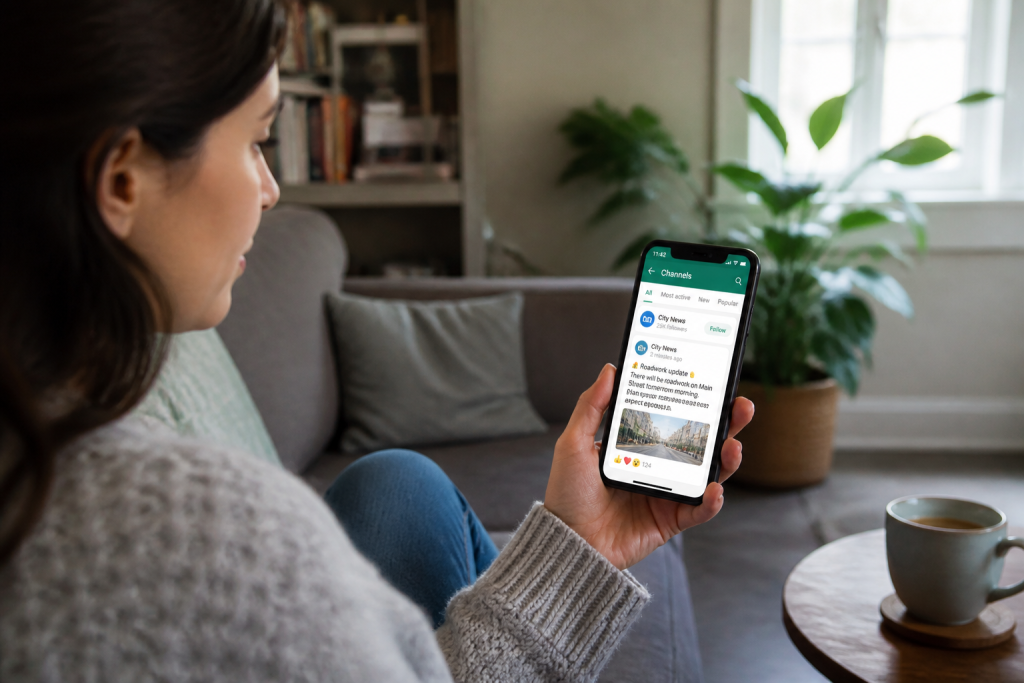
A WhatsApp channel serves as a one-way broadcasting tool. Only administrators have the privilege to post updates, which can include text, images, videos, stickers, or polls. Meanwhile, followers cannot reply to these messages; they are limited to expressing themselves solely through emoji reactions. This setup lets you reach a massive audience smoothly, bypassing the chaos of managing a traditional chat group.
From a practical standpoint, shared content shows up under the “Updates” tab inside the app, right alongside regular WhatsApp statuses. These posts remain accessible for 30 days before vanishing completely. This temporary nature can act as a great driver to build a sense of urgency among your readers.

One key feature: contrary to broadcast lists or standard groups, no phone numbers are ever exposed. Neither the admin’s number nor any subscriber’s number is visible to others. This significantly boosts privacy and reassures users who might otherwise hesitate to join.
What are the pros and cons of WhatsApp channels?
The biggest advantage is sheer reach. Boasting over two billion active users globally, WhatsApp provides an enormous pool of potential audience members. Unlike typical social media platforms, there is no algorithm holding back your visibility. Every single follower receives your updates without any throttling.
Another major plus is how organic and straightforward the sign-up process is. People can discover your channel via the app’s internal search bar or through recommendations. There is zero need to harvest phone numbers in advance. Simply drop an invite link, and users can subscribe instantly.
Nonetheless, the drawbacks are quite real. The most critical one: there is no end-to-end encryption. Unlike private chats, broadcast channel posts lack this specific layer of security, which could discourage organizations from sharing sensitive details.
Additionally, this format doesn’t integrate with the WhatsApp Business API. If you rely on enterprise software to automate campaigns, you won’t be able to hook them up to your channels. Finally, because communication flows strictly one way, direct interaction with followers is out of the question. It is fundamentally a broadcast mechanism, not a two-way conversation channel.
How to set up and launch a WhatsApp channel
Building a channel happens right inside the WhatsApp app through a few quick actions:
- Launch WhatsApp and navigate to the “Updates” tab.
- Tap the “+” icon located at the bottom right.
- Select “Create channel”.
- Assign a name to your channel (you can always change it later).
- Include a description, upload a profile picture, and style the look.
Once your channel exists, you can distribute it in two ways: either copy the invitation link from the channel settings, or make it discoverable in the public WhatsApp directory. Opting for the latter allows users to locate you simply by typing your name or niche into the search bar.
For followers, hopping onto a channel is equally effortless—they just click the link or type the name into the “Updates” tab search field. They can also filter channels by country, popularity, or creation date.
What sort of content should you post on a WhatsApp channel?
The format offers plenty of creative freedom. You are free to dispatch text, photos, videos, PDF documents, stickers, and polls. Keep in mind, though, that posts expire after 30 days. Therefore, you must maintain a consistent posting schedule to keep audiences engaged.
For business purposes, focus heavily on content that delivers immediate value:
- Product or service drop announcements
- Exclusive discounts and time-sensitive promo codes
- Corporate milestones or industry updates
- Short tutorials and expert advice
- Polls to quickly gauge consumer sentiment
Steer clear of overly long or spammy messages. Users remain protective of their personal messaging spaces. Posting one to three times a week strikes an ideal balance so you remain visible without wearing out your welcome.
Who are WhatsApp channels really meant for?
This layout fits established brands, content creators, and media publishers best. If you already command an audience, a WhatsApp channel serves as a natural, unmediated extension of your communication strategy.
Conversely, if you are just starting out and chasing new customer acquisition, a channel alone won’t suffice. People need to recognize you already or stumble upon you in the directory by chance. There are no built-in recommendation engines or viral loops. Consequently, you will need to push your invite link across external touchpoints: your website, social networks, and email newsletters.
Furthermore, since subscribers cannot talk back to you, this isn’t the right place to handle customer support or direct sales. For those tasks, leverage WhatsApp Business broadcast lists or the official API instead.
Common mistakes to avoid with a WhatsApp channel
The first mistake is treating your channel like an ordinary group chat. Expecting feedback or questions from your subscribers will lead to disappointment. Communication goes strictly in one direction by design. Do not push followers to reply through alternative channels, as this ruins the user journey.
The second trap: publishing too often or lacking substance. Your followers can drop the channel at any second with a single tap. Flooding them with pointless promotional content causes rapid unsubscriptions. Respect their attention span.
The third error involves neglecting visual branding. Your channel’s title, description, and avatar need to be instantly recognizable. A confused user won’t waste time trying to figure it out before hitting unfollow.
Ultimately, don’t rely solely on organic discovery. To grow your base, you must actively share your link across other properties. Without external marketing, your channel risks remaining an empty echo chamber.
WhatsApp channels compared to other broadcasting formats
To help you choose wisely, here is a quick breakdown contrasting the three distinct formats offered by WhatsApp:
| Format | Communication Style | Phone Number Visibility | Reply Capability | Participant Limit |
|---|---|---|---|---|
| WhatsApp Group | Two-way | All numbers visible | Yes, everyone can write | High ceiling (up to 1,024) |
| Broadcast List | One-way | Numbers hidden | No, unless the recipient replies privately | Capped at 256 contacts |
| WhatsApp Channel | One-way | All numbers hidden | No, emoji reactions only | Unlimited |
The channel stands apart due to its lack of subscriber ceilings and total anonymity. However, it replaces neither a group chat for collaborative discussions nor a broadcast list for bespoke, tailored messaging.
Final verdict: WhatsApp channels are an asset, not a silver bullet
If you already possess a dedicated following and want a reliable way to update them without algorithm interference, a WhatsApp channel is a fantastic asset. It requires minimal setup, costs nothing, and delivers high direct reach. Yet, it won’t generate organic traffic all on its own. You must already have an established footprint elsewhere for people to find you and subscribe.
For scaling businesses, combining the channel with complementary tools works best: email newsletters, social media channels, and compelling content assets that make joining worthwhile. Without these, your channel risks gathering digital dust. And an empty channel looks far worse than having no channel at all—it sends a signal of inactivity.
So yes, go ahead and create your WhatsApp channel. Just keep in mind that the real hustle starts afterward: winning over subscribers and retaining them through regular, valuable content.